

One-click deploy
INFO
This feature is included in our paid plans, but for a limited time, our community users can access it for free.
Requirements
- Operating systems: Debian, Ubuntu, CentOS
- Supported CPU architectures: AMD64, ARM64, x86_64, AArch64
Download the latest stable release
Run ↓ on any CLI.
curl -fsSL https://raw.githubusercontent.com/makeplane/plane/master/deploy/1-click/install.sh | sh -Download the Preview release
Preview builds do not support ARM64, AArch64 CPU architectures
Run ↓ on any CLI.
export BRANCH=preview
curl -fsSL https://raw.githubusercontent.com/makeplane/plane/preview/deploy/1-click/install.sh | sh -
Successful installation
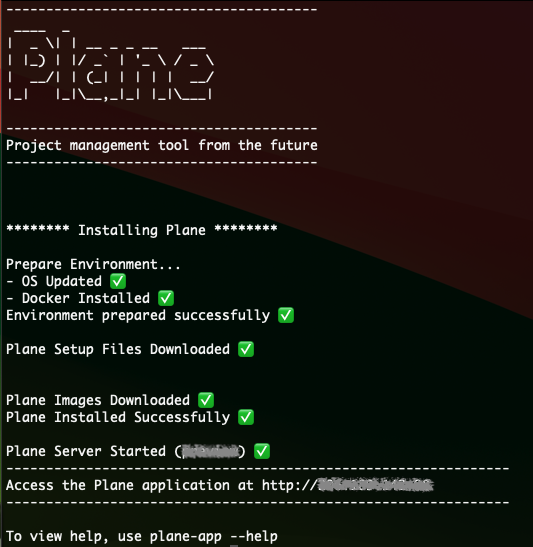
You should see ↓ if there are no hitches. That output will also list the IP address you can use to access your Plane instance.
Manage your Plane instance
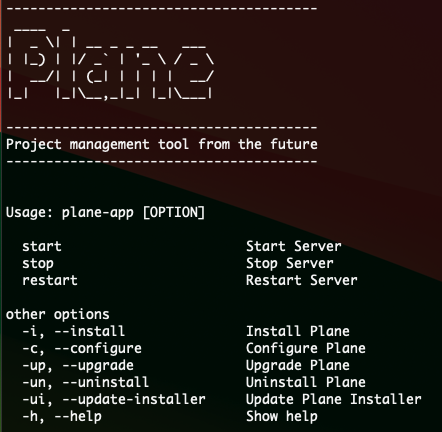
Use plane-app [OPERATOR] to manage your Plane instance easily. Get a list of all operators with plane-app ---help.
Basic operators
plane-app startstarts the Plane server.plane-app restartrestarts the Plane server.plane-app stopstops the Plane server.
Advanced operators
plane-app --configurewill show advanced configurators.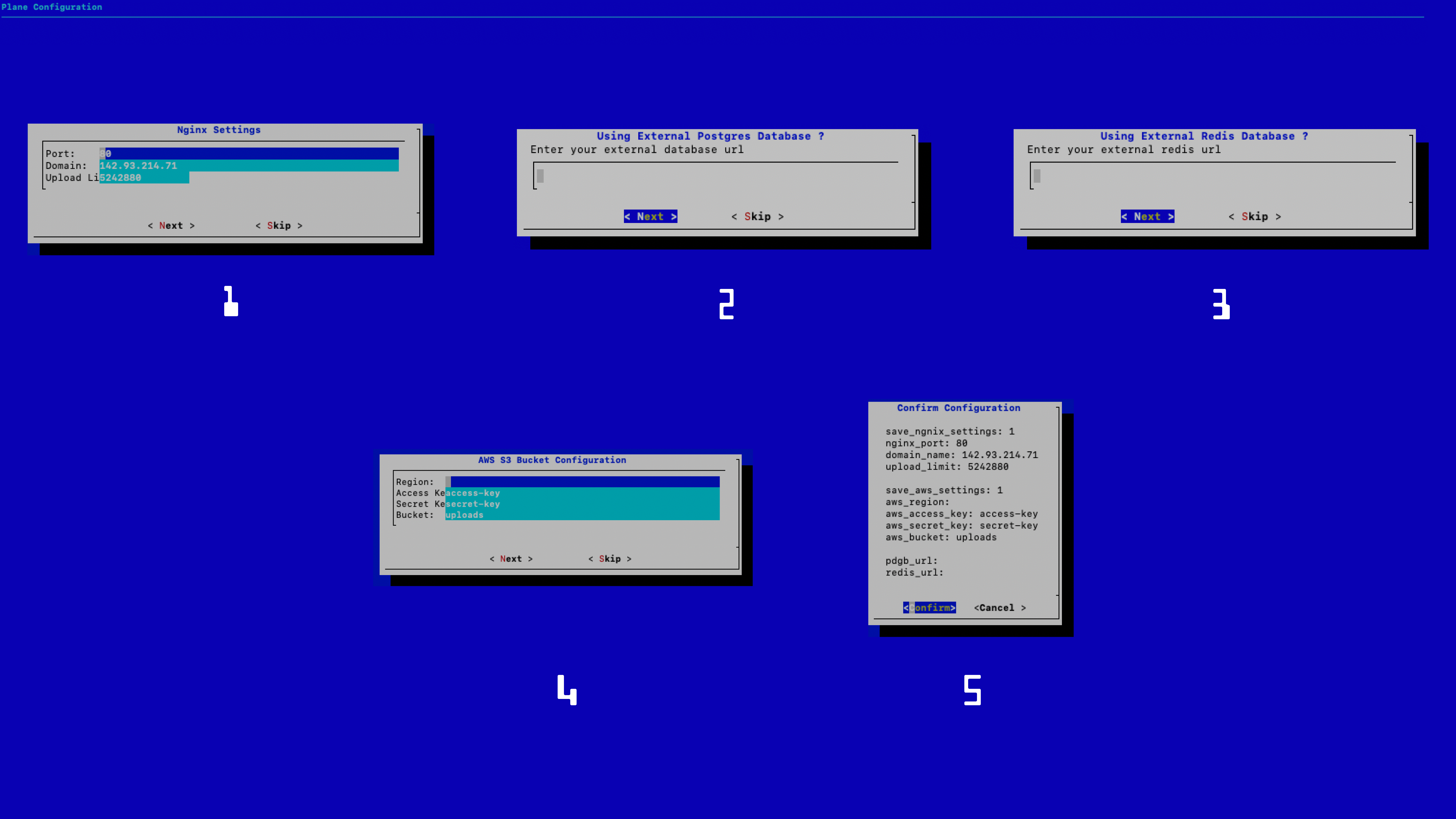
- Change your proxy or listening port Default: 80
- Change your domain nameDefault: Deployed server's public IP address
- File upload size
Default: 5MB- Specify external database address when using an external databaseDefault: `Empty`Default folder: `/opt/plane/data/postgres`- Specify external Redis URL when using external RedisDefault: `Empty`Default folder: `/opt/plane/data/redis`- Configure AWS S3 bucketUse only when you or your users want to use S3Default folder: `/opt/plane/data/minio`- Change your proxy or listening port
Version operators
plane-app --upgradegets the latest stable version ofdocker-compose.yaml,.env, and Docker imagesplane-app --update-installerupdates the installer and theplane-apputility.plane-app --uninstalluninstalls the Plane application and all Docker containers from the server but leaves the data stored in Postgres, Redis, and Minio alone.plane-app --installinstalls the Plane app again.